
Raw motion.
Clear decisions.
A dedicated Mac workspace for the part that needs your judgment: what happened, where it happened, and what to call it.
Learn the editing workflow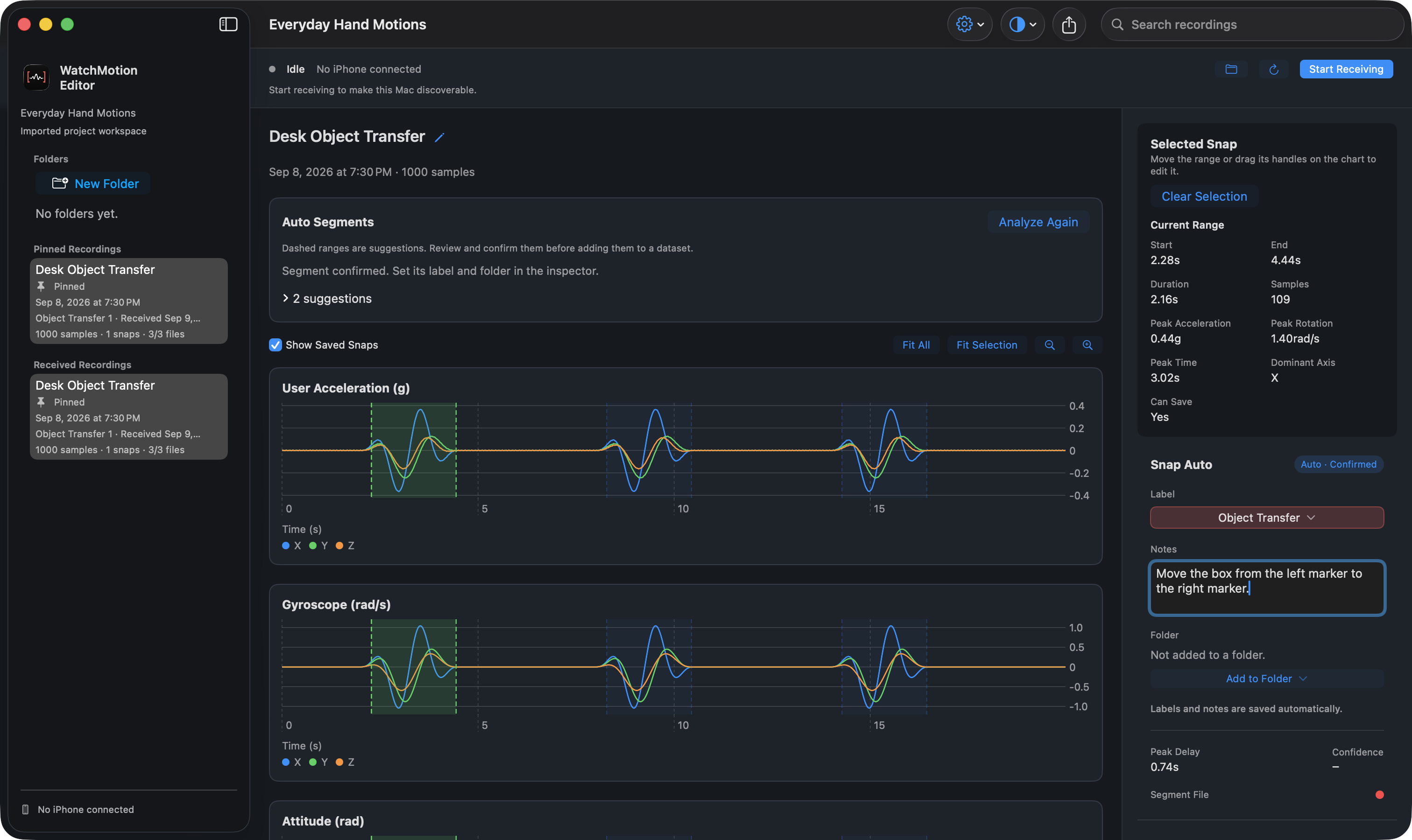
See the movement.
Keep the context.
Read acceleration, rotation rate, and attitude side by side in the same recording. Select a range, focus on its detail, then return to the full timeline.
Read the chartsLet activity guide
your attention.
Auto Segments suggests active ranges. Review the dashed boundaries, refine them, and confirm only the segments that belong in your work. Suggestions do not automatically recognize or label actions.
How suggestions work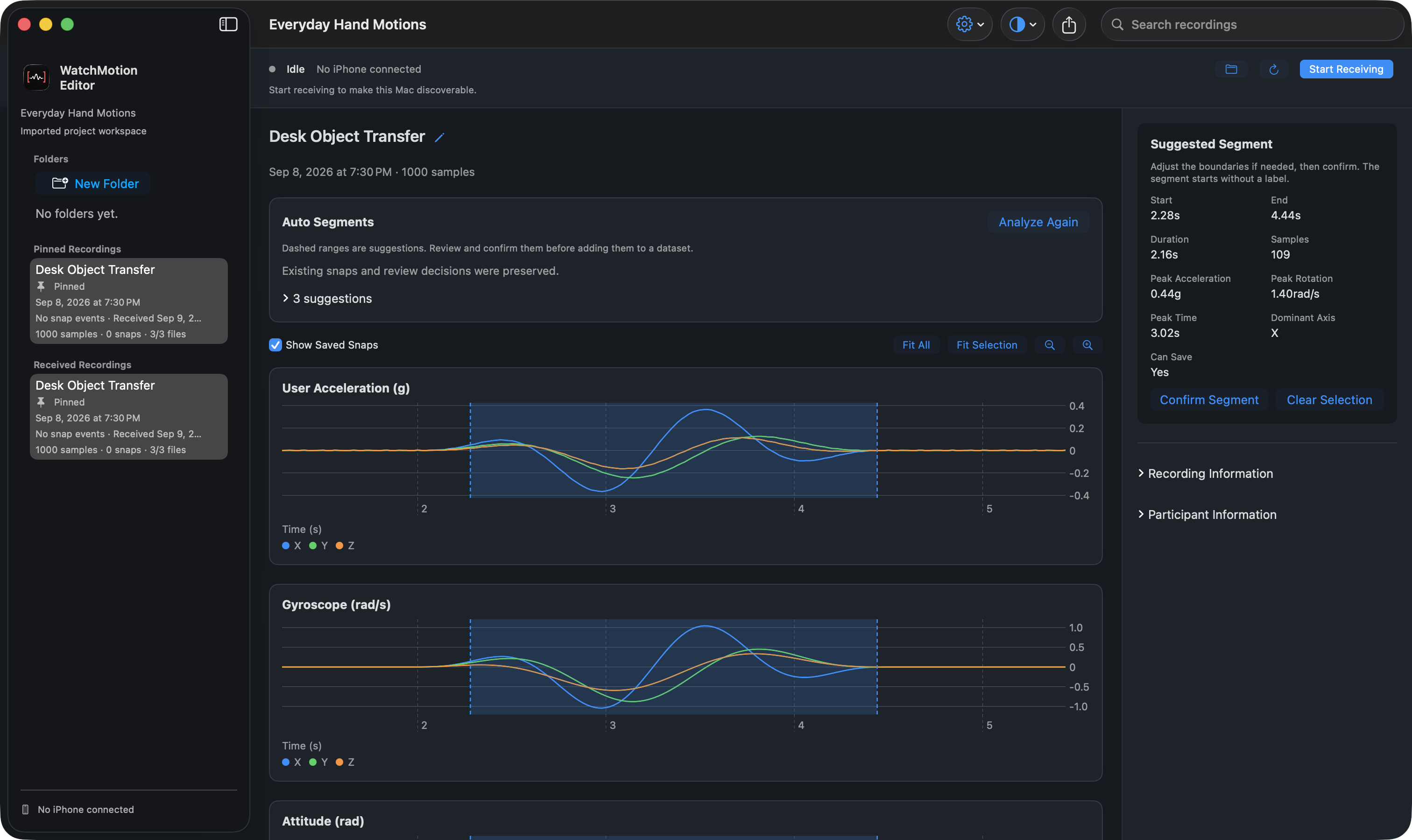
Your labels.
Your way of working.
Customize project labels and colors. Add concise notes, organize labeled snaps into folders, and switch between Light, Dark, and System appearance without changing your workflow.
Label and organize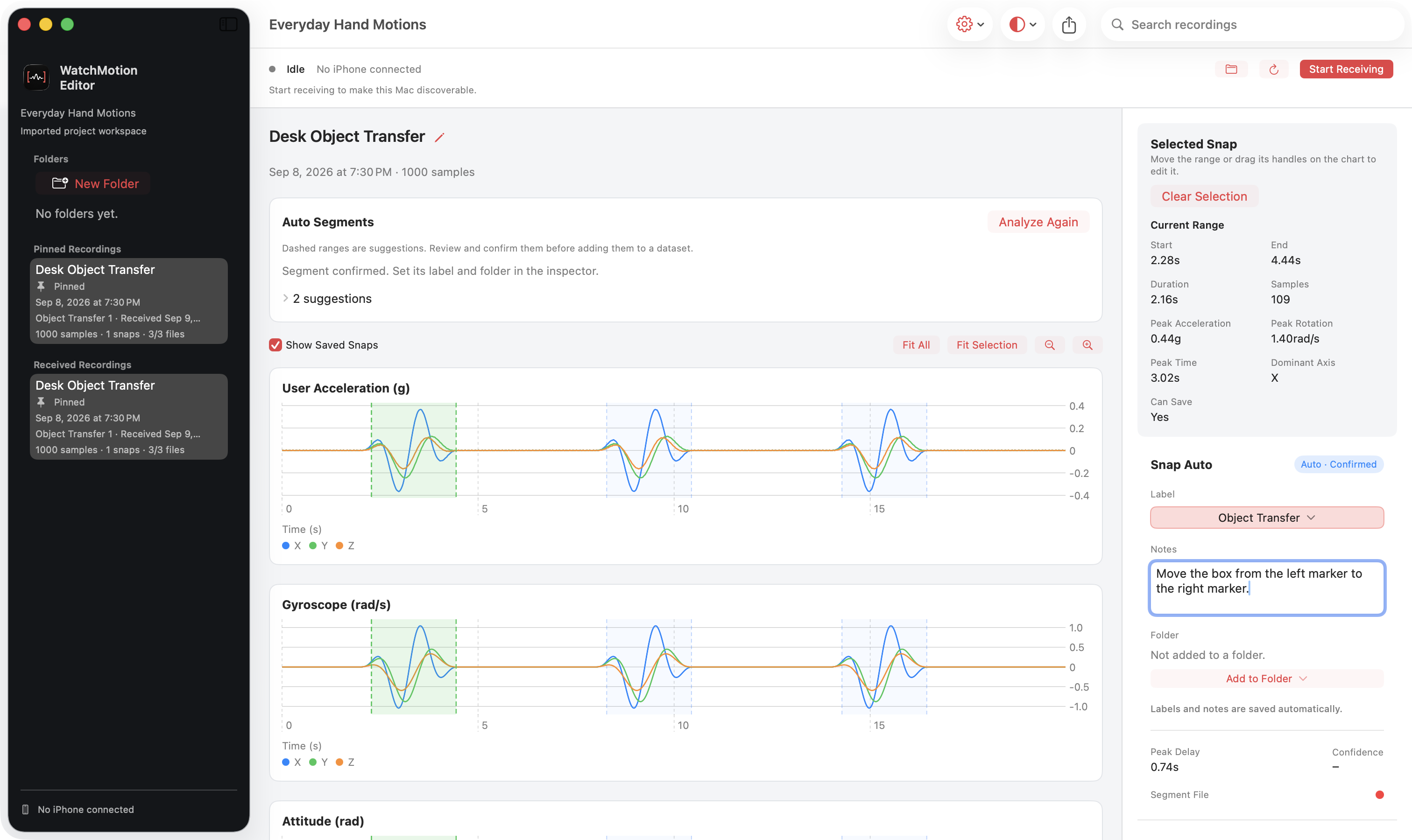
A dataset to use.
A project to revisit.
Export reviewed folder contents as CSV or Create ML data. Save a .watchmotion project when you want to preserve your workspace for further editing.
Choose an export